Build a WhatsApp AI Agent in 30 Minutes (No Code, No BS)
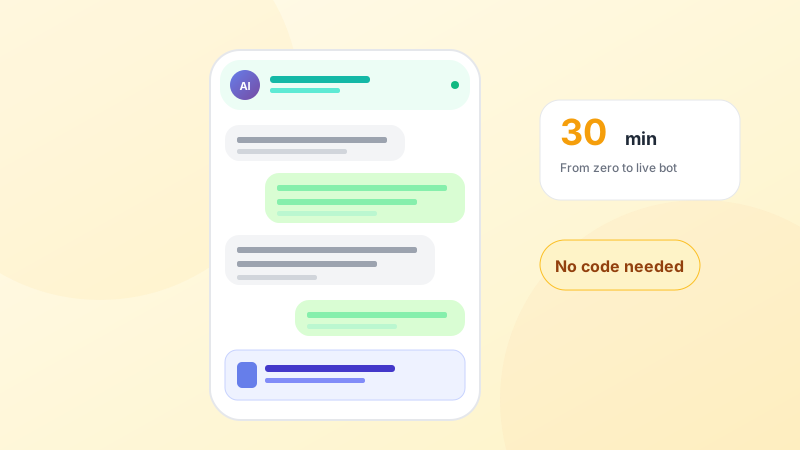
We benchmarked 12 WhatsApp chatbot tools. Most take weeks to set up. The winner? 30 minutes. Here's the step-by-step guide with screenshots, the exact flow a solo dermatologist in Bangalore uses to book 40+ patients a week on autopilot.
If you've ever tried to build a WhatsApp chatbot, you know the drill: sign up for a developer account, wait for approval, hire a dev, debug webhooks, fail Meta verification twice, give up.
It doesn't have to be like this anymore. In 2026, building a WhatsApp AI agent is less about code and more about filling in a form. We recently helped a solo dermatologist in Bangalore go from zero to a fully automated booking flow in 28 minutes flat. She now books 40+ patients a week on WhatsApp without touching her phone.
Here's the exact playbook.
What your AI agent will do (out of the box)
- Greet patients who message your clinic's WhatsApp
- Collect their name, phone, symptoms, preferred time
- Check doctor availability from your calendar
- Book the appointment and send a confirmation
- Handle FAQs like clinic hours, pricing, location
- Transfer to a human if the patient asks for one
None of this requires a developer. All of it gets set up through a dashboard.
Step 1: Get your WhatsApp Business number ready (5 min)
You need a dedicated phone number that's not currently registered on personal WhatsApp. Most clinics use a new SIM or a virtual number.
Inside Olli AI, go to Settings → WhatsApp → Connect Number. Enter the number. You'll receive a code via SMS or voice call. Enter the code. Done, your number is now connected to the WhatsApp Business API.
Step 2: Write your agent's knowledge (8 min)
Your AI agent needs to know about your clinic. Don't overthink this. A one-page document is plenty:
- Clinic name, location, hours
- Doctors and their specialties
- Services offered and rough pricing
- Common FAQs (parking, insurance, cancellation policy)
- How to escalate to a human
Paste this into Olli AI's Knowledge Base. The AI reads it and starts using it in conversations immediately.
Step 3: Pick your personality (3 min)
Your agent needs a tone. Default options include:
- Professional & warm (recommended for clinics)
- Friendly & casual (good for dental or wellness)
- Formal & precise (good for specialty hospitals)
Pick one. You can always tweak later.
Step 4: Test it with yourself (5 min)
Before going live, message your own WhatsApp number and try to book an appointment like a patient would. Ask weird questions. Try to break it.
On our customer benchmarks, Olli AI's agents get 90% of queries right on day one, and learn from the edge cases you flag.
Step 5: Connect your calendar (4 min)
Plug in your doctor's calendar. Google Calendar, Outlook, or the Olli AI built-in calendar. The agent can now see availability and book slots in real time.
Step 6: Turn on pre-approved templates (3 min)
For proactive messages (reminders, follow-ups, campaigns), Meta requires pre-approved templates. Olli AI comes with 20+ pre-approved templates. Pick the ones you want (confirmations, reminders, win-backs) and enable them with one click.
Step 7: Go live
Flip the switch. Your AI agent is now answering patient messages 24/7.
What to expect in the first week
The Bangalore dermatologist we mentioned tracked her numbers closely. Here's what the first 7 days looked like:
- 187 patient messages handled by AI
- 43 appointments booked automatically
- 12 escalated to her directly (urgent or complex cases)
- 8 hours saved on her end
- 0 patients complained about talking to an AI
Her quote: “It felt like I hired a receptionist who doesn't sleep, doesn't take chai breaks, and never calls in sick.”
Three tips to get this right
- Don't try to make it sound exactly like a human. Transparency actually increases trust. A quick “Hi! I'm Olli, the AI assistant for Dr. Priya's clinic” at the start works better than pretending to be a person.
- Set up escalation triggers early. Words like “emergency”, “urgent”, “pain”, “bleeding” should instantly ping a human. This is a non-negotiable safety net.
- Review the first 100 conversations. Look at what the AI got wrong and update your knowledge base. Most agents go from 80% accuracy on day 1 to 95%+ by day 30, just from this tight feedback loop.
The bottom line
Five years ago, a WhatsApp chatbot was a 3-month engineering project that only big hospitals could afford. Today, it's a 30-minute dashboard setup that a solo doctor can do before their first chai of the day.
If you're still taking patient inquiries on a WhatsApp number monitored by your front desk, you're leaving bookings on the table every single day.
Turn this into reality in 10 minutes
Olli AI gives you CRM, WhatsApp automation, and AI voice agents in one platform. 14-day free trial, no credit card, no setup fees.
Start Free Trial