
CRM Lead Scoring 101: The 60-Minute Setup That Triples Conversions
Your sales rep is spending time on the wrong leads. Automatic scoring fixes that, but most CRMs make it 10x harder than it needs to be. Here's the 60-minute setup that 3x'd one dental clinic's conversion rate.
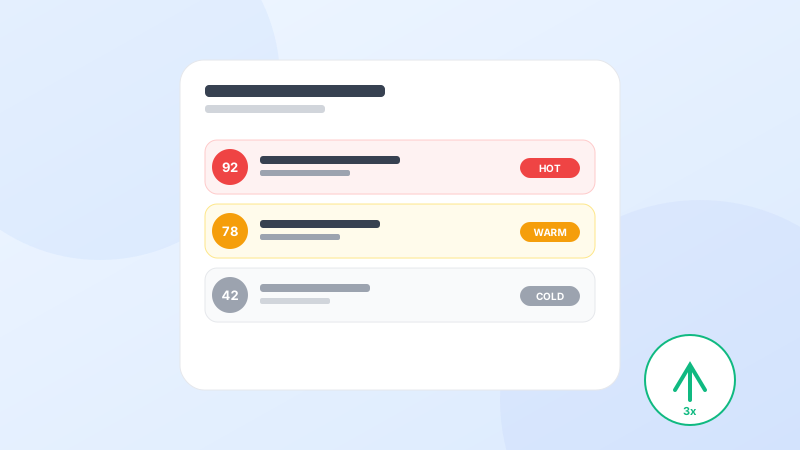
If you had 50 new leads today, which one should your rep call first?
Most clinics answer this the wrong way: oldest first, or whoever's on top of the spreadsheet. The result is predictable, the hot leads go cold while your team chases the tire-kickers.
Lead scoring fixes this. It ranks every lead automatically, so your team always knows who to call first. It sounds technical, but modern CRMs have made it so simple that you can set it up in under an hour.
Here's the playbook one of our dental clinic customers used to 3x their conversion rate in 60 days.
What lead scoring actually is
Lead scoring gives every lead a number between 0 and 100, based on behavior and demographics:
- A lead who visited your pricing page 4 times this week → +30 points
- A lead who replied to your WhatsApp → +20 points
- A lead from a high-value source (Google Ads for premium services) → +15 points
- A lead with incomplete info → 0 points
Add the points up. The higher the score, the hotter the lead.
The only 3 signals that actually matter
Don't overthink this. For most clinics, 90% of the scoring value comes from just three signals:
- Engagement recency (Did they interact with us in the last 7 days?)
- Intent signals (Did they ask about price, book a slot, or visit pricing page?)
- Source quality (Google search or walk-in > Facebook ad > mailing list)
Start with these three. You can always add more later.
The 60-minute setup, step by step
Step 1. Define your ideal patient (10 min)
Look at your last 20 booked patients. What do they have in common? Age range, location, insurance, services they needed? Write it down. This becomes your baseline scoring profile.
Step 2. Pick your signals (15 min)
Inside Olli AI CRM, go to Settings → Lead Scoring. We've pre-built the 15 most common signals for clinics. Enable 5–7 of the ones that match your business.
Step 3. Assign point values (15 min)
Give high-intent actions 20+ points. Give soft signals 5–10. Give demographic matches 5–15. The exact numbers matter less than the relative weights.
Step 4. Set your hot lead threshold (5 min)
Most clinics pick 60 as their “hot lead” threshold. Anything above 60 goes straight to the top of the rep's queue.
Step 5. Set up auto-assignment (15 min)
When a lead crosses your threshold, route it instantly to your best rep. In Olli AI, this is a single toggle. Your hottest leads get called within 5 minutes, a 9x improvement over industry average.
What to expect in the first 30 days
When you turn scoring on, three things happen:
- Your rep spends 80% of their time on leads they used to ignore
- Conversion rates on hot leads typically jump 2–3x
- Overall pipeline conversion improves 30–60% within a month
One of our customers, a 4-doctor dental group, went from a 14% lead-to-booking rate to 42% in 60 days. That's not because they worked harder. They just stopped working on the wrong leads.
The trap to avoid
Many teams spend weeks building the “perfect” scoring model and never ship. Don't. Get something imperfect running in an hour, then tweak based on what you see. The biggest leverage comes from doing anything, not from doing the perfect thing.
Your leads are scoring themselves right now. The only question is whether your CRM is paying attention.
Turn this into reality in 10 minutes
Olli AI gives you CRM, WhatsApp automation, and AI voice agents in one platform. 14-day free trial, no credit card, no setup fees.
Start Free Trial